
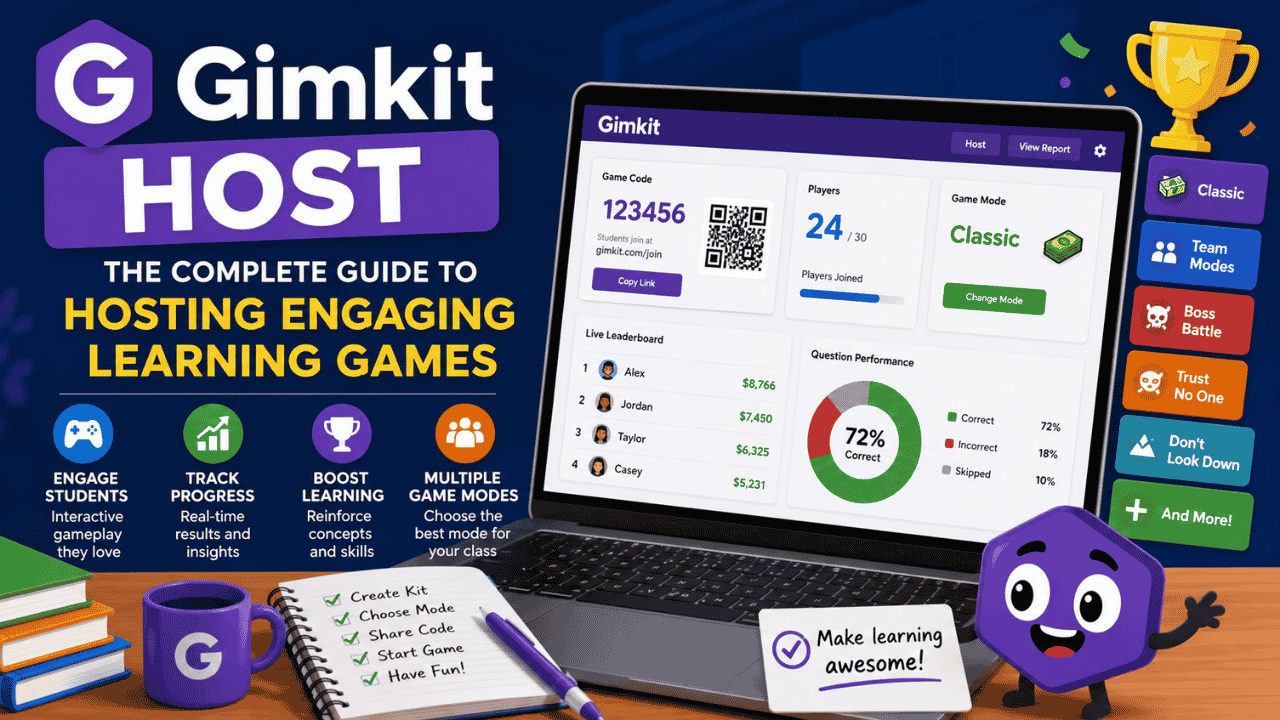
What Is a Gimkit Host?
A Gimkit host is the individual responsible for creating, managing, and running live games on the Gimkit platform. Whether you are a teacher, tutor, trainer, or educational facilitator, becoming a Gimkit host allows you to transform traditional quizzes into exciting, interactive learning experiences. By hosting a game, you can engage participants in real-time competitions, track performance, and make learning more enjoyable. Gimkit has become one of the most popular educational gaming platforms by combining knowledge assessment with game-based learning. Students answer questions to earn virtual currency, purchase upgrades, and compete against classmates while reinforcing important concepts. The role of the Gimkit host is central to ensuring these activities run smoothly and effectively. In this comprehensive guide, we’ll explore everything you need to know about being a Gimkit host, including how it works, key features, benefits, best practices, and tips for creating successful learning experiences.
Why Gimkit Has Become So Popular
Educational technology has evolved significantly over the last decade. Teachers are increasingly seeking tools that enhance student engagement while maintaining educational value. Gimkit stands out because it combines:
- Interactive gameplay
- Real-time competition
- Immediate feedback
- Data-driven assessment
- Student motivation through rewards
Unlike traditional quizzes, Gimkit encourages repeated practice through its unique in-game economy. Players earn virtual money by answering questions correctly and use those earnings to purchase upgrades that improve their performance.
The Gimkit host plays a vital role in managing these learning experiences and ensuring students remain engaged throughout the session.
Understanding the Role of a Gimkit Host
A Gimkit host serves as the game administrator during live sessions. Their responsibilities include:
Creating Learning Content
Before hosting a game, educators create or select a Kit. A Kit is a collection of questions that students will answer during gameplay.
Topics can include:
- Mathematics
- Science
- History
- Language Arts
- Geography
- Business Training
- Corporate Education
Selecting Game Modes
One of the most important tasks for a Gimkit host is choosing the appropriate game mode.
Different modes create different learning experiences and can significantly impact student engagement.
Managing Participants
Hosts oversee player entry, team assignments, and game settings. They ensure participants can join successfully and understand the game objectives.
Monitoring Progress
During gameplay, the host monitors:
- Student performance
- Rankings
- Participation levels
- Learning outcomes
Reviewing Reports
After the game ends, hosts receive detailed reports that provide valuable insights into pupil understanding and performance.
How to Become a Gimkit Host
Getting started as a Gimkit host is straightforward.
Step 1: Create a Gimkit Account
Visit the Gimkit website and create an educator account. Registration typically requires basic information and account verification.
Step 2: Create a Kit
A Kit serves as the foundation of your game. You can:
- Create questions manually
- Import questions
- Use existing Kits
- Modify shared Kits
Step 3: Click “Play Live”
Once your Kit is ready, select the Play Live option to begin hosting a game session.
Step 4: Choose a Game Mode
Select the game mode that best fits your learning objectives.
Step 5: Configure Settings
Customize game settings such as:
- Time limits
- Team options
- Nickname settings
- Joining permissions
- Question frequency
Step 6: Share the Join Code
Students enter the provided game code or use a direct link to access the session.
Step 7: Launch the Game
Once participants have joined, start the session and monitor progress throughout the activity.
Popular Gimkit Game Modes for Hosts
One reason many educators love being a Gimkit host is the variety of game modes available.
Classic Mode
Classic Mode is the original Gimkit experience.
Students:
- Answer questions
- Earn virtual cash
- Purchase upgrades
- Compete for top rankings
This mode is ideal for:
- Quiz reviews
- Test preparation
- Classroom competitions
Trust No One
Inspired by social deduction games, this mode introduces mystery and teamwork.
Benefits include:
- Critical thinking
- Collaboration
- Communication skills
Boss Battle
Students work together to defeat a common enemy.
This mode promotes:
- Teamwork
- Cooperation
- Collective problem-solving
Don’t Look Down
Players answer questions to climb higher while avoiding elimination.
This mode creates excitement and urgency, encouraging participation.
One Way Out
A collaborative adventure requiring students to answer questions and solve challenges together.
Blastball
A fast-paced game combining educational content with competitive gameplay.
Snowbrawl
A seasonal-themed game mode that keeps students engaged while reinforcing educational material.
Benefits of Being a Gimkit Host
Increased Student Engagement
Traditional review sessions can sometimes feel repetitive. Gimkit transforms learning into an exciting activity that students genuinely enjoy.
As a Gimkit host, you can create lessons that capture student attention and encourage active participation.
Improved Knowledge Retention
Repeated exposure to questions helps students retain information more effectively.
The game-based format encourages learners to answer questions multiple times, strengthening memory and understanding.
Real-Time Assessment
Hosts receive immediate feedback regarding:
- Student accuracy
- Knowledge gaps
- Class performance
- Individual strengths and weaknesses
Motivation Through Rewards
Students remain motivated because correct answers directly impact their in-game success.
This reward system often leads to increased effort and participation.
Flexible Learning Environment
A Gimkit host can use the platform for:
- Classroom instruction
- Homework assignments
- Remote learning
- Hybrid education
- Training workshops
Essential Features Available to a Gimkit Host
Join Codes
Each game generates a unique join code.
Students simply enter the code to participate in the session.
QR Code Access
Many hosts use QR codes to simplify student entry.
This reduces setup time and minimizes technical issues.
Nickname Generator
Hosts can enable automatic nickname generation to ensure a safe and appropriate learning environment.
Team Settings
Students can compete individually or collaborate in teams.
Team modes help develop communication and cooperation skills.
Late Join Option
Hosts can determine whether participants may join after gameplay has started.
Host Controls
During live sessions, hosts can:
- Pause gameplay
- End games early
- Monitor rankings
- Remove participants if necessary
- Spectate gameplay
Using Gimkit Host for Different Subjects
Mathematics
Math teachers use Gimkit to reinforce:
- Algebra
- Geometry
- Statistics
- Arithmetic
- Calculus concepts
Science
Science educators create Kits covering:
- Biology
- Chemistry
- Physics
- Environmental Science
History
Historical events, dates, and figures can be reviewed effectively through interactive gameplay.
Language Arts
Teachers reinforce:
- Vocabulary
- Grammar
- Literature
- Reading comprehension
Foreign Languages
Language instructors use Gimkit to improve:
- Vocabulary acquisition
- Translation skills
- Grammar practice
- Listening comprehension
Best Practices for a Successful Gimkit Host
Keep Questions Clear
Avoid overly complicated wording.
Students should focus on demonstrating knowledge rather than deciphering confusing questions.
Use Varied Difficulty Levels
Include:
- Easy questions
- Moderate questions
- Challenging questions
This approach accommodates learners with different skill levels.
Encourage Friendly Competition
Competition can motivate students, but hosts should emphasize learning over winning.
Rotate Game Modes
Using different modes keeps students interested and prevents monotony.
Analyze Reports
Reviewing post-game reports helps identify learning gaps and informs future instruction.
Common Challenges Faced by Gimkit Hosts
Internet Connectivity
Stable internet is essential for smooth gameplay.
Hosts should ensure students have reliable connections whenever possible.
Device Compatibility
Although Gimkit works on most devices, occasional compatibility issues may occur.
Testing before class can help prevent disruptions.
Managing Large Groups
Larger classes may require additional organization and monitoring.
Hosts should establish clear expectations before starting gameplay.
Tips to Maximize Student Participation
Create Excitement Before the Game
Build anticipation by explaining rewards, objectives, and challenges.
Offer Incentives
Small classroom rewards can increase participation.
Examples include:
- Bonus points
- Recognition certificates
- Classroom privileges
Encourage Team Collaboration
Team modes often increase engagement among reluctant participants.
Use Relevant Content
Students are more likely to stay engaged when questions connect directly to current lessons.
Gimkit Host vs Traditional Quiz Platforms
Gimkit
- Interactive economy
- Strategic upgrades
- Multiple game modes
- Real-time competition
- High engagement
Traditional Quiz Tools
- Standard question-answer format
- Limited gamification
- Fewer strategic elements
The added gaming mechanics make Gimkit particularly appealing to modern learners.
The Future of Gimkit Hosting
As educational technology continues to evolve, the role of the Gimkit host will likely expand.
Future developments may include:
- Enhanced analytics
- AI-powered recommendations
- New game modes
- Greater customization
- Improved collaboration features
These innovations will continue to help educators create engaging and effective learning experiences.
Conclusion
Becoming a Gimkit host is one of the most effective ways to transform ordinary lessons into exciting educational experiences. By combining learning with interactive gameplay, hosts can improve student engagement, encourage participation, and gain valuable insights into learner performance. From creating custom Kits and selecting game modes to monitoring live sessions and analyzing reports, the Gimkit host plays a critical role in maximizing the platform’s educational potential.
You May Like: Statekaidz.com: A Modern Platform Transforming Online Learning for Kids
