
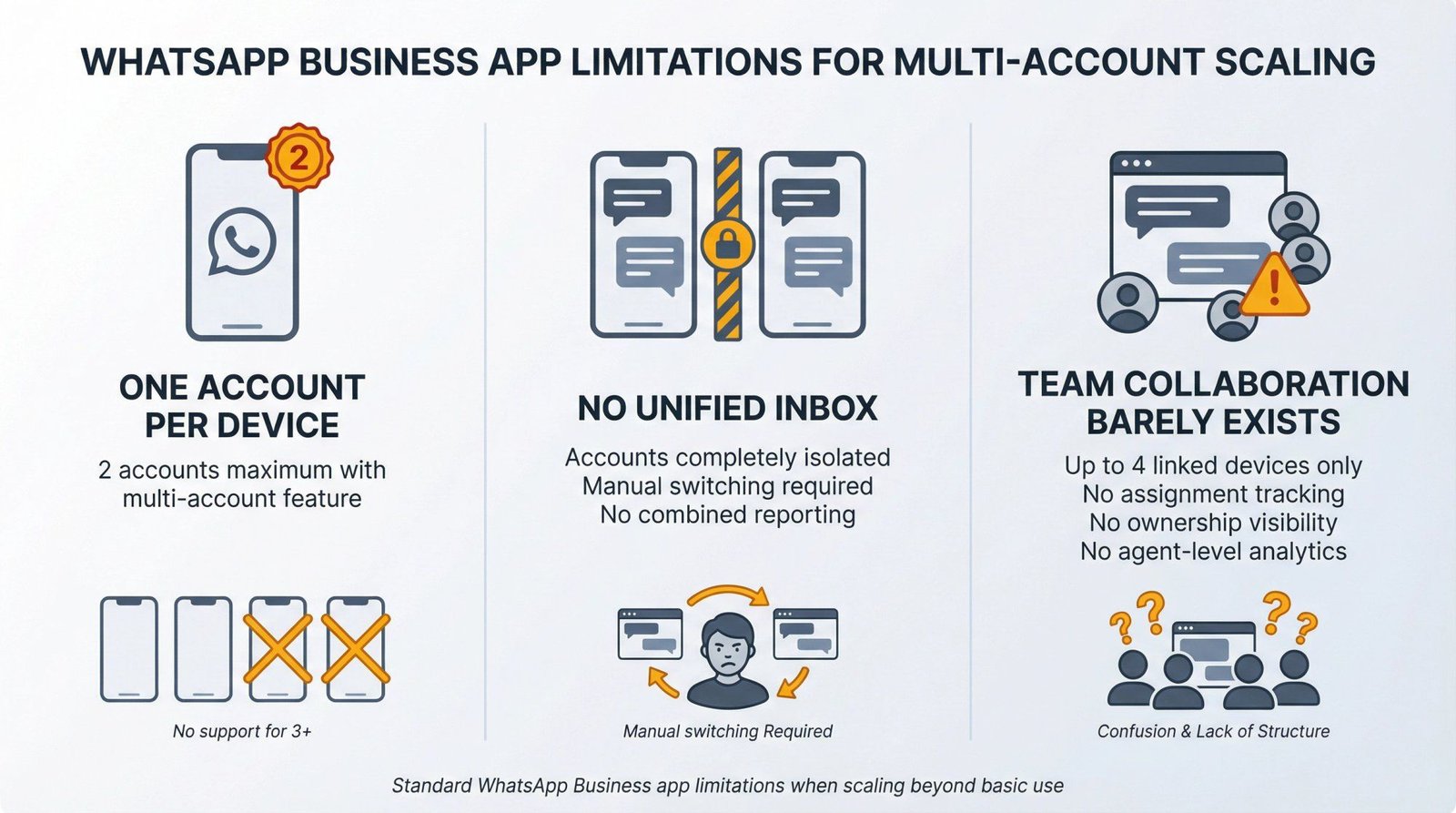
A growing share of customer enquiries now arrive by WhatsApp rather than phone or email, and for any business with more than one person handling those enquiries, this creates an operational question that does not have an obvious answer at first glance: how do you let several team members respond from the same number, on their own devices, without everyone needing access to one shared phone?
This guide works through the practical mechanics of shared WhatsApp access for a small team, the genuine limitations you will run into, and how a dedicated virtual number changes the calculation considerably for the better.
The Single-Phone Problem
The most common starting point for a small team is also the least workable long-term solution: one physical phone, with the WhatsApp Business account logged in, passed between whoever is on shift, or left on a desk for anyone to pick up. This works after a fashion for a very small operation but breaks down quickly as soon as more than one or two people need simultaneous access, or as soon as anyone needs to respond while away from the desk where the phone lives.
The underlying constraint is that a standard WhatsApp account is designed around one primary device. WhatsApp Web and the desktop app allow a linked session from a browser or computer, which helps to a degree, but the system was not built with a five-person rota in mind, and most small teams who try to manage it this way end up with messages answered twice, customers waiting because nobody realised a message had arrived, or — worse — a single phone that represents a single point of failure for the entire customer communication channel. This matters more than it might have a few years ago, simply because of how much enquiry volume has shifted onto messaging apps: customer service benchmarking data has tracked the steady move away from phone and email toward messaging as the channel customers reach for first, which means the WhatsApp bottleneck described above is no longer a minor side issue for most small businesses.
What Actually Solves the Access Problem
The practical fix is to treat the WhatsApp number as infrastructure rather than as a phone. A virtual number, set up specifically for the business and connected to a proper multi-agent messaging tool, allows several team members to log in independently — from their own devices, in their own location, at their own desks — and see the same shared inbox of customer conversations. Whoever picks up a conversation can be marked as handling it; conversation history is visible to the whole team regardless of who replies; and nobody needs physical custody of a single device for the system to function.
This is a different proposition from simply having WhatsApp Business on someone’s personal phone. The number itself needs to be one that supports this kind of multi-user setup, which is generally only available through a dedicated business number rather than a personal SIM converted to business use. Getting this right from the outset avoids the awkward later conversation about migrating an established customer-facing number to a different system once the single-phone approach has visibly started to creak.
The Access and Accountability Question
Once several people can access the same customer conversations, questions naturally arise about who said what, who is responsible for a particular reply, and how access is managed when someone leaves the team. These are reasonable operational concerns and worth planning for explicitly rather than discovering reactively.
Most dedicated business messaging platforms log which team member handled which conversation, which resolves the accountability question directly. For the broader question of managing shared access to business systems and data responsibly — including what happens to access when a staff member’s role changes or ends — general workplace guidance on shared devices and accounts (covered helpfully in ACAS’s advice on managing shared workplace accounts) is a sensible starting point, even though it is written with broader systems in mind rather than messaging specifically.
Quick Answers to the Questions Most Teams Ask
Is this the same as just adding people to a WhatsApp group?
No, and this is the most common confusion. A WhatsApp group is a single conversation that multiple people can see and post into, which is not the same as multiple team members each handling separate one-to-one customer conversations through the same business number. What teams generally need is a shared inbox structure sitting behind a single number — each customer conversation visible to the team, each handled individually — rather than a group chat that customers would also be able to see into.
Do we need a WhatsApp Business number specifically, or does a personal number work?
A personal number can be switched to the WhatsApp Business app, which adds a business profile and automated greeting messages, but it remains fundamentally a single-device, single-primary-user account. For genuine multi-agent team access, a dedicated business number connected to proper multi-user messaging software is the configuration that actually supports several people working from it simultaneously.
What happens to the customer conversation history if we change provider later?
This depends on the specific platform, but it is a question worth asking before committing to a setup rather than after. Reputable business messaging platforms generally provide some form of conversation export. Asking about this directly during the selection process avoids an unpleasant surprise later.
How quickly can a small team get this running?
Faster than most people expect. Getting a dedicated WhatsApp virtual number set up and connected for shared team access typically takes from a few hours to a couple of days depending on the complexity of the existing customer base and whether historical conversation data needs migrating in, rather than the weeks that a full CRM rollout might require.
Why This Is Worth Sorting out Early
Teams that delay separating personal and shared business access tend to do so because the single-phone method technically works, in the sense that messages do get answered eventually. The cost of this delay is not visible in any single conversation; it shows up cumulatively, in response times that creep upward as the team grows, in the customer who messaged twice because nobody saw the first message, and in the operational fragility of a system where one phone, one person, and one moment of inattention can interrupt the entire customer communication channel. Fixing this before it becomes a visible problem is considerably easier than fixing it after.
