
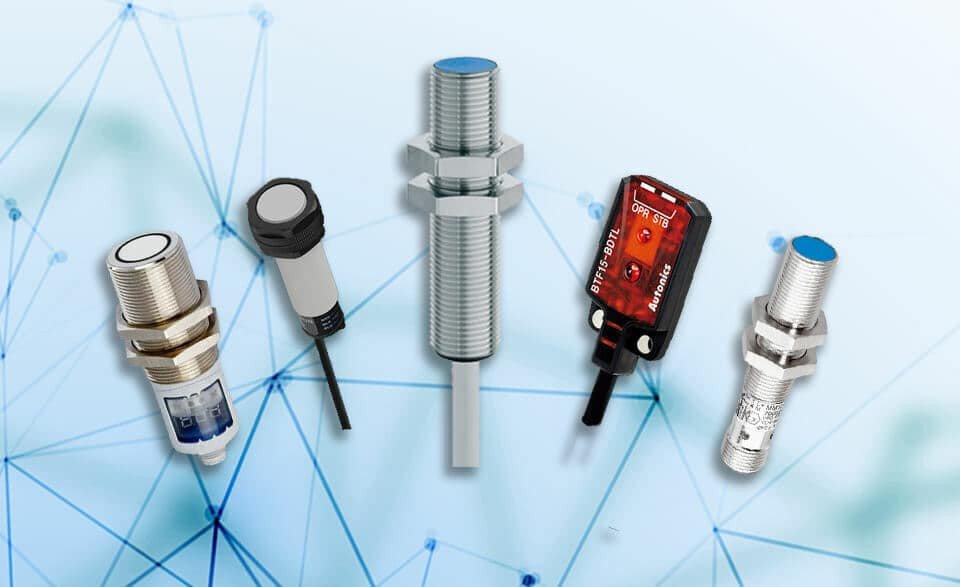
Hero Section (Bullet Summary):
✔️ Why inductive sensors fail prematurely in real-world environments
From metal shavings to coolant splash, learn the hidden reasons sensors stop working long before their rated lifespan.
✔️ Daily, weekly, and monthly maintenance routines that actually help
Step-by-step preventive tasks I use in real production lines to keep sensors clean, aligned, and accurate.
✔️ Troubleshooting tips for false triggers, missed reads, and wiring issues
If your sensor blinks but won’t trigger — or triggers when it shouldn’t — this guide helps you pinpoint the cause fast.
✔️ How to properly clean, align, and protect your sensors
Get actionable advice on what to use (and what to avoid) when maintaining sensors in dusty, wet, or oily environments.
✔️ Includes a printable maintenance checklist and field-ready tips
No theory, just real tools and methods from someone who’s done this on bottling lines, press machines, conveyors, and more.
H2: Why Inductive Proximity Sensors Fail in the Field
In theory, inductive sensors are rugged — no moving parts, no contact wear. But in the field, especially in harsh industrial environments, they’re one of the first components to give you headaches if not maintained properly. I’ve seen it time and again: a Pepperl Fuchs proximity sensor installed perfectly on day one, only to start misfiring weeks later due to a mist of coolant or a loose bracket.
The usual culprits? Dirt and metal debris buildup on the sensor face, persistent vibration from unbalanced motors, electrical noise from nearby VFDs, and exposure to oils or temperature swings that exceed sensor specs. Even a cable run too close to a motor line can introduce EMI and cause intermittent readings or ghost triggers.
When these factors add up, the symptoms show up fast:
- The sensor might drop out intermittently,
- Trigger erratically when nothing’s there,
- Or stop working entirely — leaving your PLC guessing.
That’s why preventive care isn’t just “nice to have” — it’s how you avoid line stoppages, false alarms, and repeated sensor swaps. Especially with higher-end models like a Pepperl Fuchs proximity sensor, it pays to protect your investment with regular checks rather than wait for failures to creep in unnoticed.
H2: Daily and Weekly Maintenance Checklist
Preventive maintenance doesn’t need to be complex — it just needs to be consistent. Over the years, I’ve found that a few quick checks each shift can add months to a sensor’s lifespan, especially in environments with high dust, vibration, or chemical exposure.
Here’s the exact routine I use for inductive proximity sensors — including models like the Pepperl Fuchs proximity sensor — across factory lines, conveyors, and CNC setups:
- Visual Inspection: Start every shift with a quick look. Check the sensor body and mounting bracket for physical damage, misalignment, or signs of metal shavings and grime building up on the face. Even a small dent or weld splatter can throw off detection.
- Clean the Sensor Face: Use a soft, lint-free cloth and a non-corrosive solvent (isopropyl alcohol usually works well). Avoid anything abrasive that could scratch the sensor surface — scratches can create false reads.
- Check LED Indicators: Most sensors come with onboard LEDs to show detection and power status. If the light flickers, stays off, or behaves erratically, that’s your first sign something’s off — could be wiring, signal interference, or internal damage.
- Verify Target Distance: With inductive sensors, detection distance matters. Make sure the metallic target is within the rated sensing range and aligned perpendicular to the sensing face. If the target is too far or at an angle, you’ll get unreliable triggering.
- Inspect Cable and Strain Relief: Look at the cable for signs of wear, tight bends, or loose connections. Strain reliefs should be secure, and connectors should be fully seated. I always tug-test lightly to make sure they’re locked in place.
🔧 Pro Tip: Add this checklist to your daily shift-start routine. It takes 2–3 minutes, tops — but it saves hours of troubleshooting and emergency replacements later.
H2: Monthly & Quarterly Preventive Tasks
While daily checks catch the obvious issues, real sensor longevity comes from digging a bit deeper — and that’s where monthly and quarterly maintenance comes in. If you’re using inductive proximity sensors from trusted brands like Pepperl+Fuchs, this routine helps keep them performing accurately even in harsh environments.
Here’s what I make sure to check every month (or at least once per quarter) on automated lines and packaging equipment:
- Re-Tighten Mounting Hardware
Vibration loosens everything — even on so-called “rigid” mounts. I always go around with a torque wrench or Allen key and check the fasteners that hold each sensor in place. A loose mount can cause misalignment and inconsistent triggering.
- Confirm Sensor Air Gap
Use a feeler gauge or a known-thickness metal shim to double-check the sensor’s sensing distance to the target. Over time, brackets can shift slightly, especially after impacts or temperature cycling. A sensor that’s just a few millimeters off can start to miss detections.
- Clean Off Metallic Debris
If your machine creates metal shavings (think CNC, stamping, or drilling), you’d be surprised how fast that debris sticks to the sensor face — especially on magnetic surfaces. I wipe everything down and even use compressed air in hard-to-reach spots.
- Inspect Cable Insulation
Give extra attention to the flex points and anywhere the cable moves regularly. Look for signs of cracking, pinching, or chafing. On more than one occasion, I’ve found tiny nicks that eventually led to water ingress or short circuits.
- Re-Test Switching Function
Always confirm that the sensor still switches properly at the expected distance. I use a small metal test target the size of the actual trigger object to simulate the detection. If the switching point has drifted, it’s time to recalibrate — or replace.
🔧 Pro Tip: Log each check in a maintenance sheet or CMMS. If you notice a sensor needs re-tightening or cleaning more often than others, that’s usually a sign of excess vibration, poor mounting, or a misaligned actuator.
H2: Electrical Checks and Signal Health
When it comes to inductive proximity sensors, mechanical cleaning is only half the battle — the other half is making sure the electrical side is solid. I’ve seen far too many sensors replaced not because they were bad, but because of wiring issues, signal degradation, or interference. Here’s what I always check to verify signal health in the field:
- Verify Sensor Output with a Multimeter or Oscilloscope
Start simple. A multimeter in voltage mode can tell you if the sensor is switching — but for dynamic or noisy systems, nothing beats an oscilloscope. I connect across the output and ground while cycling the target in and out of sensing range. Clean transitions, no bouncing — that’s what you want to see.
- Watch for Intermittent Triggers or Dropouts
If your sensor seems to “miss” the occasional part or randomly stops switching, suspect intermittent output. This is often caused by loose connectors, failing cables, or poor grounding. I like to gently wiggle cables while watching the signal to simulate vibration stress — it often exposes hidden faults.
- Check Cable Resistance and EMI Sources
Run a continuity and resistance test from sensor to controller. Even slight resistance changes can affect performance, especially over long cable runs. Also, look for nearby sources of electromagnetic interference — VFDs, motor starters, relays — anything that could induce voltage spikes or noise into your signal lines.
- Review Grounding Practices
Improper grounding can silently ruin signal integrity or even damage the sensor. I always ground the shield at the control cabinet end only, not both ends — that prevents ground loops. And if you’re using Pepperl+Fuchs proximity sensors with differential output or IO-Link, double-check manufacturer guidelines for grounding and shielding.
🔧 Pro Tip: If you’re still having issues, swap in a known-good sensor temporarily. If the symptoms stay, it’s probably wiring. If they go away, you’ve found your culprit.
H2: Common Mistakes and How to Avoid Them
In my time working with proximity sensors on production lines and automated machines, I’ve seen simple oversights lead to recurring failures — many of which were entirely preventable. Whether you’re using a Pepperl+Fuchs proximity sensor or another industrial-grade model, here are the most common maintenance and setup mistakes I’ve encountered — and how to avoid them:
- Using Generic Cleaning Chemicals That Degrade Sensor Housings
I’ve seen techs wipe down sensors with whatever solvent was on hand — brake cleaner, acetone, you name it. That’s a fast track to cracking plastic housings or fogging up lenses. Always check the sensor’s datasheet for approved cleaning agents. A lint-free cloth and mild detergent usually do the trick without compromising material integrity.
- Running Sensor Cables Alongside VFD Motor Leads
Sensor signals are sensitive — and VFDs (variable frequency drives) are noise generators. When sensor cables run parallel to motor power lines, especially over long distances, electromagnetic interference can cause false triggers or dropouts. Keep sensor wiring in separate, shielded conduit where possible, and use twisted pair cables with proper shielding.
- Ignoring Misalignment After Minor Collisions
Sensors get bumped all the time — by carts, tool trays, or even human elbows. It might seem minor, but even a few millimeters off from the original mounting angle can result in missed detections or inconsistent sensing. Make it a habit to visually inspect and re-verify alignment regularly, especially after maintenance or a production incident.
- Failing to Log Sensor Errors in the PLC or HMI
If your system doesn’t flag intermittent sensor failures, you’re missing a key diagnostic tool. I always recommend integrating basic error detection logic into your PLC program — for instance, alerting if a sensor doesn’t change state after X cycles. Logging these events gives you early warning of degradation before it causes downtime.
⸻
⚠️ Field Insight: “Most proximity sensor failures I troubleshoot aren’t because of a bad sensor — they’re due to poor installation or lack of preventative care. Address the root, not just the symptom.”
H2: Final Tips from the Field
When it comes to keeping inductive proximity sensors running smoothly — especially in dusty, oily, or high-vibration environments — I’ve learned that small habits make a big difference. Here are a few real-world lessons I always pass on to new techs:
- “A dirty sensor is a lazy sensor — keep it clean and calibrated.”
I’ve seen perfect sensors fail simply because a film of grease or fine metal dust built up on the sensing face. A 10-second wipe during shift checks can prevent a full line stop.
- “Log sensor behavior over time. Small signal delays usually mean it’s time to clean or realign.”
Don’t ignore little anomalies — like a sensor taking a beat longer to detect a part. That’s often your first sign of mounting drift, vibration wear, or debris accumulation. Track trends before they become failures.
