
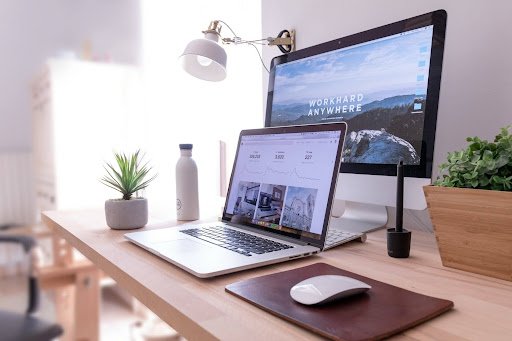
The shift to working from home changed a lot of things about the working day. The commute disappeared. The open plan office noise disappeared. The carefully calibrated ergonomic setup that most workplaces were at least attempting to provide also disappeared, replaced by a kitchen table, a laptop balanced on whatever was available, and a chair that was chosen for a dining room rather than eight hours of desk work.
Eyes absorbed a significant portion of that downgrade. Office environments, for all their faults, tended to have reasonable monitor setups, consistent lighting, and physical layouts that imposed natural visual breaks. A home setup built without deliberate thought for eye comfort produces strain that accumulates quietly across the working day and becomes a persistent feature of working life before anyone identifies what is causing it.
Most of the fixes are straightforward. None require significant expense. All of them make a genuine difference over the course of a week, let alone a year of working from home.
Why Home Office Setups Are Harder on Your Eyes Than You Think
The problems with typical home office setups are structural rather than occasional. They produce the same strain every day because the conditions creating that strain are constant.
Laptop screens are the most common starting point for home workers, and they are poorly suited to sustained daily use in isolation. The screen is smaller than most desktop monitors, which requires the eye to work harder to resolve fine detail. It sits lower than the recommended eye level, which encourages a slightly downward gaze that causes both neck tension and more frequent partial blinking. And the viewing distance is often shorter than recommended because the keyboard is attached, so moving the screen further away also moves the keyboard further away.
Poor ambient lighting compounds this. Working in a room with insufficient overhead lighting creates a high-contrast boundary between the bright screen and the darker surroundings. The visual system manages that contrast boundary continuously, which is tiring in a way that is difficult to identify because it is so constant it becomes the background condition of the working day.
Variable natural light from windows is a related problem. Sunlight that shifts across the working day creates glare, reflections on the screen, and contrast changes that the eye adapts to repeatedly. A setup positioned facing or directly beside a window without any management of the light is one of the more reliable sources of afternoon eye fatigue in home offices.
Getting Your Screen Position and Brightness Right
Monitor position is the single most impactful adjustment most home workers have never made. The top of the screen should sit at or slightly below eye level. The viewing distance should be between 50 and 70 centimetres, roughly arm’s length. These two measurements together put the eye in a position where focusing and tracking are least effortful throughout the day.
A laptop screen achieves this with a separate keyboard and either a monitor riser or a stack of books underneath the laptop. It is not elegant, but it works. A dedicated external monitor connected to a laptop with the laptop moved to the side is the more complete solution and makes a difference that most people notice within the first day of using it.
Screen brightness should match the ambient light in the room rather than sitting at maximum or wherever it was set when the device was new. A screen significantly brighter than the room around it creates the same contrast boundary problem as poor ambient lighting, just from the opposite direction. Most operating systems now include automatic brightness adjustment. Enabling it and allowing it to function removes the need to manage this manually throughout the day.
Colour temperature matters separately from brightness. Screens default to a cool, blue-heavy colour profile that is appropriate for accurate colour work but less appropriate for sustained reading and screen use across a full day. Most devices now include a night mode or warm display setting that shifts the colour temperature toward the warmer end of the spectrum. Using this from late afternoon onward reduces the blue light load during the period when it most affects evening alertness and sleep quality.
Lighting Choices That Reduce Strain and Improve Comfort
The lighting in the room surrounding the screen affects eye comfort as much as the screen settings themselves. The goal is ambient light that is consistent, roughly matches the brightness of the screen, and does not create glare or reflections on the display surface.
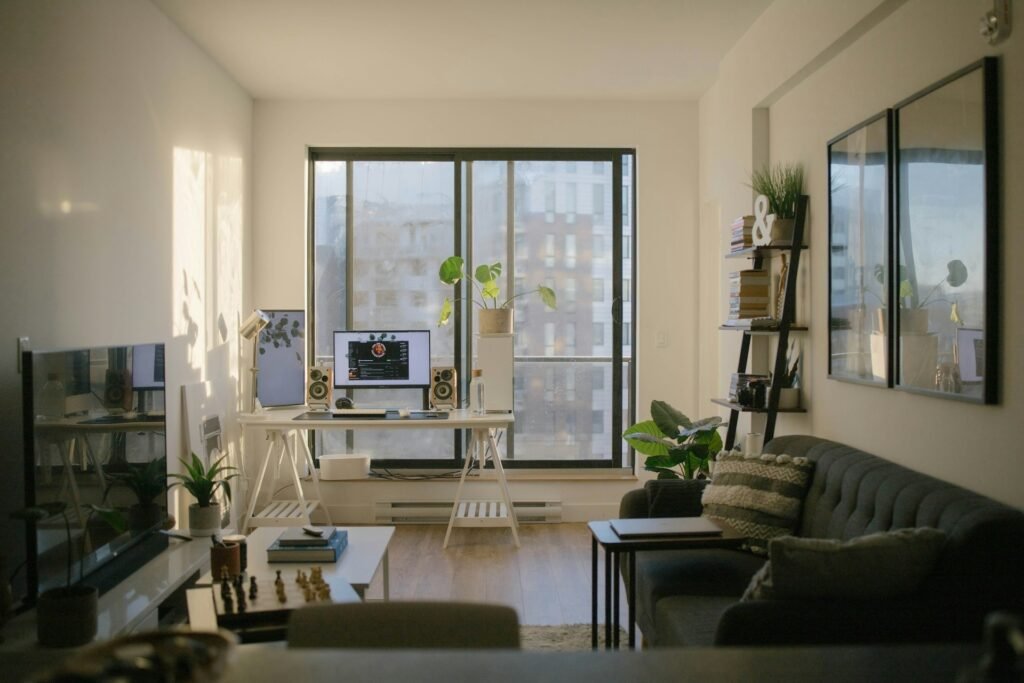
Overhead lighting directly above the screen or positioned to reflect in the screen surface creates glare that the eye manages continuously without the person always being aware of it. Positioning the desk perpendicular to windows rather than facing them or sitting with them directly behind removes the most common source of screen reflection in home setups.
Bias lighting, a strip of light positioned behind the monitor that illuminates the wall behind the screen, reduces the contrast between the screen brightness and the surrounding room. It is a relatively small addition to a desk setup and produces a disproportionate improvement in sustained viewing comfort by raising the ambient light level immediately around the screen without adding glare.
Desk lamps positioned to illuminate the working surface rather than angled toward the screen add useful task lighting for reading and writing without creating additional screen glare. Warm-toned bulbs are easier on the eyes for evening work than cool-toned ones.
When Buying Glasses Online Makes Sense for Home Workers
Home workers who spend the majority of their working day at a screen often find that a dedicated pair of prescription glasses optimised for screen distance performs better than their general-purpose prescription lenses for desk work.
Standard distance prescription glasses are calibrated for metres, not for the 50 to 70 centimetre range of a monitor. The sustained effort of focusing through lenses set for a different distance contributes to afternoon fatigue that sits on top of the ambient strain of the home environment. A pair of prescription glasses with a lens optimised for intermediate distance, with blue light filtering and anti-reflective coating built in, removes that mismatch entirely.
Buying glasses online is a practical route to a screen-specific pair without the full cost of a high street optician. The process works well when the prescription is current, the pupillary distance measurement is available, and the frame measurements from a current pair are used as a reference for fit. Most reputable online retailers carry a clear returns policy for prescription glasses, which removes the main risk of the process.
For home workers who do not currently wear prescription glasses but find sustained screen use consistently uncomfortable, an eye test in the UK is the most useful starting point. An uncorrected or undiagnosed prescription issue is one of the more common and more overlooked causes of screen strain, and it is one that no amount of monitor adjustment or blue light filtering addresses if the underlying correction is missing.
The Role of Blue Light Glasses in a Screen-Heavy Environment
Blue light glasses filter a proportion of short-wavelength blue light from screens before it reaches the eye. For home workers spending extended periods in front of screens, particularly those who work into the evening or find themselves on screens within an hour or two of going to bed, they address a specific and well-documented problem.
The filtering effect reduces the visual processing effort that blue light creates, which contributes to the eye fatigue that builds across long screen sessions. The anti-reflective coating included in most quality blue light glasses removes the secondary reflections on the lens surface that add a layer of low-level visual effort throughout the day. Both of these effects are modest in isolation and cumulative in combination, meaning the difference they make is felt over a full day rather than in any single moment.
For evening screen use specifically, the case for blue light glasses is strongest. Blue light suppresses melatonin production and delays sleep onset, and the hours before bed are where screen use does the most damage to sleep quality. Wearing blue light filtering lenses during evening screen time, or enabling the warm display mode on devices, addresses this directly.
They work best as part of a broader approach rather than as the single solution to digital eye strain. Screen position, brightness, ambient lighting, and regular breaks all contribute to the same outcome.
Small Adjustments That Make a Noticeable Difference Over Time
The cumulative effect of several small improvements to a home office setup is considerably greater than any single change in isolation. A few that consistently produce results across a working day:
- Following the 20-20-20 rule: every twenty minutes, looking at something twenty feet away for twenty seconds interrupts the sustained near-focus cycle that drives ciliary muscle fatigue. Setting a quiet recurring reminder makes it automatic rather than aspirational
- Deliberate blinking during intensive screen sessions keeps the tear film intact and reduces the dry, gritty sensation that builds when blink rate drops during concentration
- Preservative-free eye drops applied before a long screen session supplement the natural tear film and are worth keeping on the desk rather than in a bathroom cabinet
- Keeping the screen clean removes smudges and dust that reduce display clarity and cause the eye to work harder to resolve fine detail
- Standing up and walking for even two minutes in every hour introduces enough physical movement to reduce the postural and visual fatigue that comes from sustained static positions
None of these are significant changes to a working day. In combination, across five working days a week, they produce an environment that is substantially easier on the eyes than the one most home workers are currently in.
