
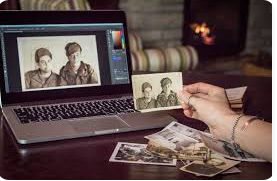
This article is for anyone who needs to improve the visual quality of images, whether you are a freelancer editing portfolio shots, a small business owner polishing product photos, or a marketing team producing content at scale. The goal is to help you move past trial and error and make a confident decision about which online image enhancement tool is actually worth your time and money. Not every tool is built the same, and what works well for a solo creator may fall short for a growing team with consistent output requirements. By the end of this guide, you will have a clear framework for evaluating your options and enough detail to match a tool to your specific situation.
Why Image Quality Has Real Consequences
Whether images appear on a product listing, a social media post, a client presentation, or a company website, their quality directly affects how the work is received. Blurry product photos reduce purchase confidence. Pixelated thumbnails undercut credibility. Overexposed portraits make professional headshots look amateur. The stakes are higher than most people realize, and the good news is that fixing these problems no longer requires expensive software or years of editing experience.
Modern AI-powered tools can detect and correct issues like low resolution, noise, blur, poor lighting, and flat color automatically, often in seconds. The question for most users is not whether a tool can improve an image but which tool does it well, fits their budget, and scales with their workload.
8 Criteria for Evaluating an Online Image Enhancement Tool
Before committing to any tool, use these criteria as a consistent lens for comparison. Applying the same standards across options makes your evaluation much more useful than simply testing tools side by side without a framework.
1. Output Quality
The most important factor is whether the enhanced image actually looks better and more natural. Some tools sharpen edges while introducing visible artifacts. Others smooth over fine detail to the point that a portrait looks plastic or a product photo loses texture. Look for tools that reconstruct detail rather than simply averaging or stretching pixels. When evaluating output quality, test the tool on the types of images you actually work with, whether that is product photography, headshots, real estate shots, or illustrations.
2. Ease of Use
Not everyone using an image enhancement tool has a background in design or photography. A good tool should get results with minimal configuration. One-click or auto-enhance options are valuable for high-volume use cases. For users who want control, adjustable sliders for sharpness, brightness, contrast, saturation, and noise are helpful additions.Tools that combine both approaches like Skylum’s enhance-ai are particularly well suited to mixed workflows where some images need a quick automatic pass while others require more deliberate manual adjustment. Avoid tools that require lengthy setup processes or only produce usable results after multiple manual steps.
3. Supported File Formats and Size Limits
Most online tools accept JPEG and PNG, but if your workflow involves WebP, HEIC, or RAW files, you need to verify compatibility before committing. File size limits also vary widely and can create problems if you are regularly working with high-resolution originals. Some tools cap uploads at 5MB, which is restrictive for professional photography. Others accept files of 40MB or more. Match the tool’s limits to your actual file sizes.
4. Speed of Processing
For occasional edits, processing time is rarely a dealbreaker. For teams or individuals running large batches, waiting several minutes per image becomes a real workflow problem. Cloud-based tools that process images on fast servers typically outperform browser-dependent options. If you need to enhance dozens or hundreds of images regularly, prioritize tools that support bulk processing.
5. Pricing Structure and Free Plan Availability
Most tools offer some version of a free tier, but the quality and usefulness of those free tiers vary significantly. Some add watermarks to enhanced images. Others limit daily uploads, restrict output resolution, or withhold key features like background removal or AI upscaling. When evaluating pricing, look at what the free plan actually delivers versus what gets locked behind a paywall. For business use, also check whether the paid plan is priced per seat or per account, and whether commercial licensing is included.
6. Business and Team Features
Individuals and businesses have fundamentally different needs. Businesses often require brand consistency, meaning a tool should support saved brand assets, custom color palettes, approved fonts, or logo integration. Team collaboration features, shared asset libraries, and role-based access matter at the organizational level. Some tools are built primarily for personal use and lack these structures entirely, which becomes a problem as team size grows.
7. Integration with Other Tools
If your workflow already involves a content management system, social media scheduler, design suite, or e-commerce platform, the image enhancement tool you choose should fit into that ecosystem. Tools that allow you to continue editing after enhancement, export in multiple formats, and connect directly to platforms you already use reduce friction significantly. Standalone tools that only export a final file can become a bottleneck in larger workflows.
8. Data and Privacy Policies
For businesses handling client images, product photography, or branded content, understanding what a tool does with uploaded images is essential. Some platforms use uploaded images to improve their AI models. Others retain images for a period before deletion. Enterprise-grade tools typically offer stronger data protections. Always review the privacy policy before uploading sensitive or proprietary content, especially for commercial projects.
Types of Online Image Enhancement Tools
Online image enhancement tools broadly fall into a few categories, each suited to different use cases and levels of need.
AI-Only Enhancers
These are purpose-built tools focused primarily on resolution upscaling, noise reduction, and sharpening. They tend to produce high-quality results on specific tasks but may not offer design capabilities beyond enhancement. They suit photographers and technical users who want precision processing without extra features. Pricing often follows a credit-based model or a per-image fee structure.
All-in-One Design and Editing Platforms
These tools combine image enhancement with broader design capabilities. You can enhance a photo and then immediately use it in a social post, presentation, ad, or branded template. They are ideal for marketers, small business owners, and content creators who want a single platform for multiple steps in their workflow. Free tiers tend to be more generous, and paid plans often include design assets alongside editing features.
Desktop Software with Cloud Access
Some professional-grade tools offer web-based access alongside traditional desktop applications. They often deliver the most technically precise results and support RAW files, but they come at a higher price point and may require more technical familiarity. These are best suited for professional photographers, print designers, or production teams with complex output requirements.
Adobe Express: A Strong Option Worth Considering
For users who want image enhancement as part of a broader creative workflow rather than as a standalone process, Adobe Express functions as a capable image quality enhancer that balances accessibility with professional-grade features.
Three capabilities make it worth a close look. First, its AI is powered by Adobe Firefly, which means tools like background removal, object addition, and generative fill are designed with commercial use in mind. This matters for businesses that want to avoid licensing complications with AI-generated edits. Second, the platform allows users to move seamlessly from enhancing an image to placing it in a template, adjusting brand colors, and exporting it for social media, print, or digital use. For teams producing marketing content regularly, the reduction in steps is a genuine time saver. Third, Adobe Express offers a meaningful free plan that includes core photo editing tools, thousands of templates, and limited generative AI credits, with no credit card required to start. The premium plan adds access to over 200 million Adobe Stock assets, 30,000-plus Adobe Fonts, advanced animation tools, and 250 generative AI credits per month.
For teams and businesses, Adobe Express also supports brand kit functionality, shared Creative Cloud libraries, and integration with other Adobe products including Photoshop and Illustrator. This makes it a natural fit for organizations already embedded in the Adobe ecosystem, but it is also functional as a standalone tool for users starting fresh.
Matching the Tool to Your Situation
Choosing well comes down to honestly assessing how you work and what you produce. A freelance photographer who primarily fixes resolution issues in portrait batches has different needs from a retail brand producing 50 product images a week. Below are some practical ways to narrow the field.
If you are an individual user who needs basic fixes quickly, prioritize tools with strong free tiers, auto-enhance features, and simple interfaces. You do not need team features or API access, so there is no reason to pay for them. Look for a tool that handles your most common issues well rather than a platform that does everything moderately.
If you are a small business managing your own visual content, look for tools that combine enhancement with design and scheduling capabilities. You want to minimize the number of platforms in your workflow. Batch processing, template libraries, and social export options are worth prioritizing.
If you are a growing team or agency, pay more attention to collaboration features, commercial licensing clarity, brand consistency tools, and per-seat pricing structures. Test whether the tool supports role management and whether your existing tools connect to it.
If your primary need is high-resolution output for print, billboards, or commercial photography, the technically specialized options built specifically for upscaling and noise reduction tend to outperform general-purpose platforms. Accept that you may pay more per image in exchange for precision output quality.
FAQ
What is the difference between AI image enhancement and traditional photo editing?
Traditional photo editing relies on manual adjustments made by a human user, including changes to brightness, contrast, curves, color balance, and sharpness. The quality of the result depends heavily on the skill and time of the editor. AI image enhancement automates many of these decisions by analyzing an image and applying corrections based on patterns learned from millions of training examples. This means an AI tool can recognize a blurry face, a noisy low-light photo, or a low-resolution product image and apply targeted fixes without requiring the user to understand what settings to change. The practical result is that users without any editing background can produce polished images in seconds. AI tools are not a complete replacement for skilled manual editing in complex projects, but for the vast majority of everyday enhancement tasks, they are faster and more accessible.
Do I need to worry about image file formats when using an online enhancement tool?
Yes, file format affects both what you can upload and the quality of your output. Most online enhancement tools accept JPEG and PNG, which cover the majority of everyday use cases. JPEG is best for photographs with complex color, while PNG is preferred for graphics, logos, and images requiring a transparent background. Some tools also accept WebP, which offers smaller file sizes at comparable quality, and is increasingly useful for web-based content. If you are unsure which formats to use for different contexts, the MDN Web Docs image format guide provides a thorough, format-by-format breakdown that is useful for both web developers and general users. When selecting an enhancement tool, confirm that it accepts your source file type and that the output format it exports is compatible with where you intend to use the image.
Is it safe to upload business or client images to an online enhancement tool?
It depends on the platform and its data handling policies. Many free or low-cost online tools use uploaded images to train or refine their AI models, which raises legitimate concerns for anyone uploading proprietary, sensitive, or client-owned imagery. Before uploading business content, review the tool’s privacy policy to understand how long images are retained, whether they are used for model training, and whether you can request deletion. Enterprise and premium tiers of most major platforms offer stronger data protections, including opt-outs from training pipelines and data processing agreements that comply with privacy regulations like GDPR. For any client work, it is good practice to check your contract terms and the tool’s terms of service together before using a third-party enhancement platform.
How should businesses evaluate whether a tool’s AI-generated edits are commercially usable?
This is a genuinely important question that many users overlook until they encounter a licensing problem. Some AI image enhancement tools produce outputs that carry usage restrictions, particularly when generative features are involved, such as replacing backgrounds or inserting new elements into a photo. Before using AI-enhanced or AI-generated content in advertising, product listings, or branded materials, check whether the tool explicitly grants commercial rights in its licensing terms. Platforms that have invested in building their AI on licensed, consented image data are generally safer for commercial use than those that do not disclose their training data practices. If the tool’s documentation does not clearly address commercial rights, treat that as a reason to investigate further before committing to it for professional output.
Can an online image enhancement tool fully replace a professional photographer or retoucher?
For many practical applications, yes, an enhancement tool can produce results that are more than sufficient. Improving a slightly blurry product photo, correcting lighting on a headshot, removing a distracting background, or upscaling a low-resolution logo for print use are all tasks that AI tools handle reliably and at a fraction of the cost of hiring a professional. However, there are scenarios where professional judgment remains irreplaceable. Complex editorial retouching, high-stakes campaign imagery, nuanced color grading for brand consistency, and situations where the original image has severe quality problems all benefit from human expertise. The most sensible approach for most businesses is to use enhancement tools to handle the high volume of routine image work, freeing up professional photography resources for the projects where that investment genuinely shows.
Conclusion
Online image enhancement tools have matured to the point where producing professional-quality visuals no longer requires professional-level expertise or a professional budget. The range of options available today covers everything from fast, purpose-built AI upscalers to full creative platforms that take you from a raw photo to a finished marketing asset in a single workflow. The key to choosing well is using a consistent evaluation framework rather than picking a tool based on a feature list alone.
Apply the criteria in this guide to the tools you are considering, prioritize the capabilities that match your actual volume and use cases, and pay attention to pricing structures and commercial licensing before committing. Whether you are a solo creator cleaning up social content or a business team producing hundreds of images a month, there is a tool built for your situation. The goal is to find the one that makes your workflow faster without compromising the quality of what you put in front of your audience.
